

Self-hosted homelab dashboard with iframe tabs, real-time widgets, and Plex SSO.





[!WARNING] Framerr is in early development (
0.x.x). Potentially breaking changes between releases.
📖 Documentation — setup guides, integration docs, and configuration reference.
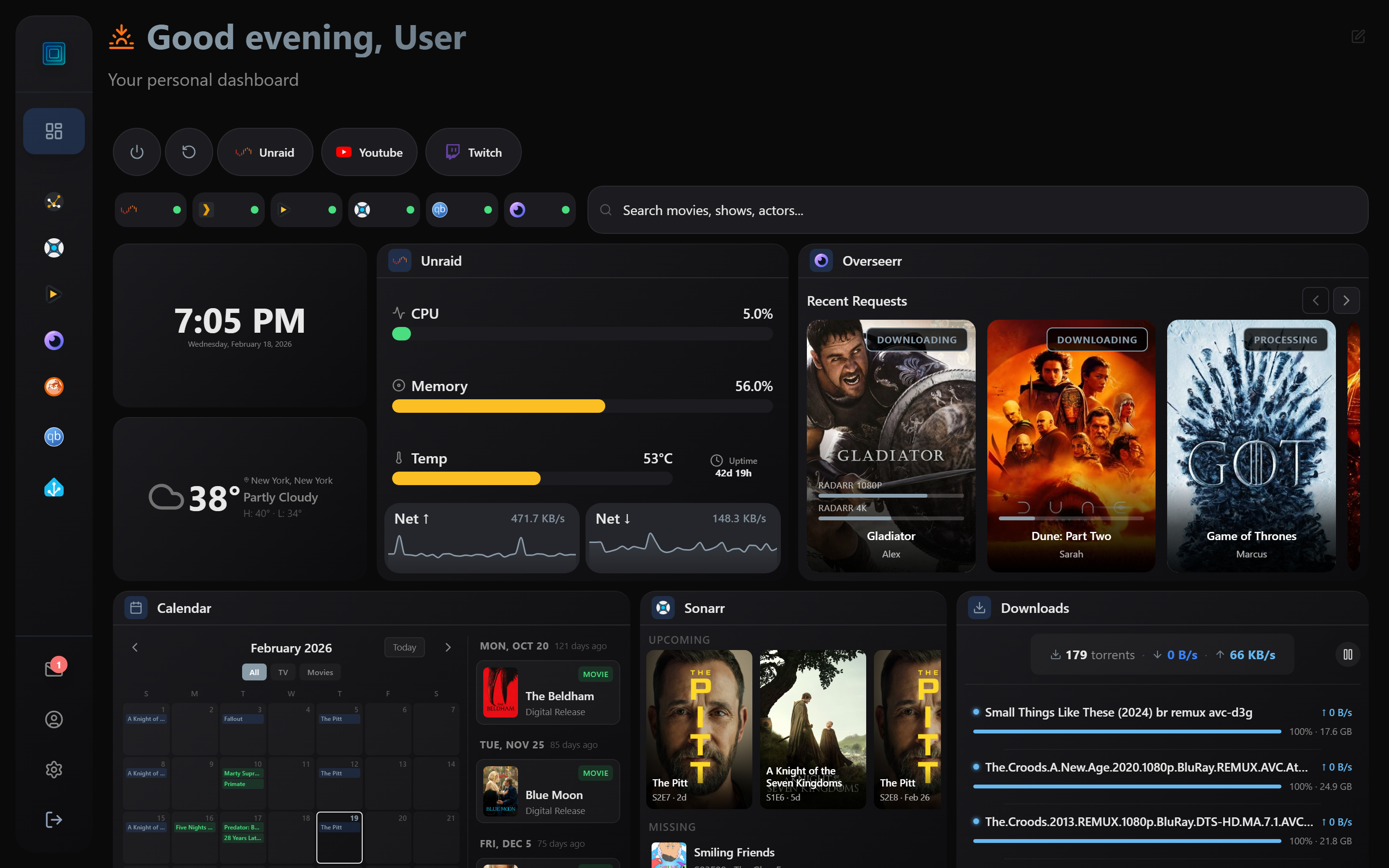
⚡ Powerful, Modern Dashboard
Real-time widgets, drag-and-drop layout, and deep integration with your homelab services — all in one customizable view.
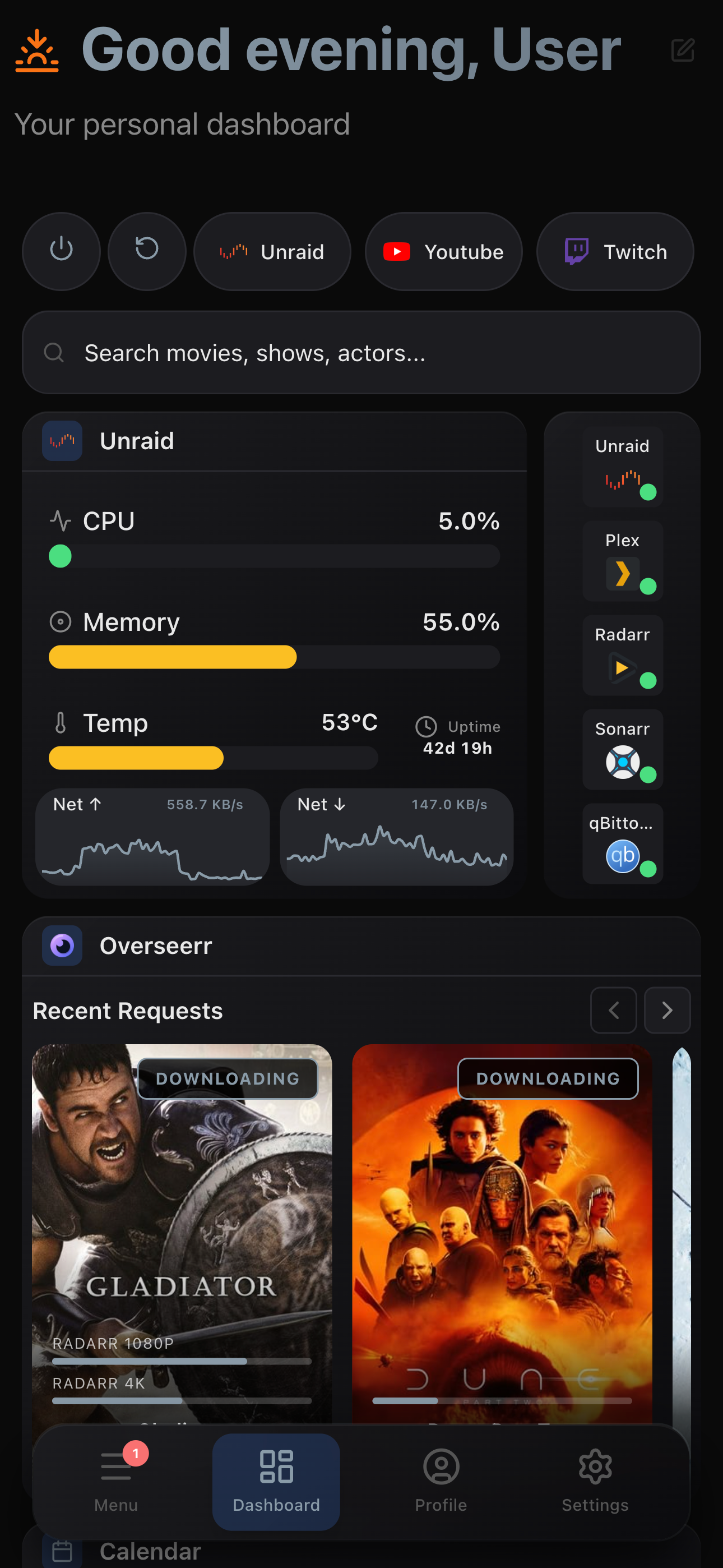
📱 Responsive Mobile Design
Dedicated mobile layout with independent widget arrangement and touch-friendly controls. Your dashboard, anywhere.
Your homelab. One dashboard. Every user.
Deep integration and full admin control where it counts. A clean, intuitive experience for the friends and family who share your server. Framerr delivers what you need and what your users want.
Features
- Iframe tabs — embed any web app or service as a tab in the sidebar
- Real-time widgets — media streams (Plex, Jellyfin, Emby), Sonarr/Radarr calendars, Overseerr requests, qBittorrent downloads, system stats monitoring, service health monitoring, weather, clock, and more!
- Plex SSO — quickly sign into Framerr with your Plex account
- Auth proxy — works behind Authelia, Authentik, Nginx Proxy Manager with trusted IP whitelist
- Customizable — many built-in themes to choose from, plus a full custom color picker. Make Framerr your own and customize your way!
- Dashboard templates — build, save, share, and import/export layouts between users and other Framerr instances.
- Drag and drop — easily rearrange widgets with intuitive mobile and touch support
- Multi-user — securely share access to widgets and integrations with friends and family
- Notifications — real-time alerts from your integrations, with an in-app notification center and Web Push support
- Mobile responsive — dedicated mobile layout with smooth gestures and easy controls
- Encrypted secrets — integration API keys and tokens are encrypted at rest with AES-256-GCM
Quick Start
Docker Compose
services:
  framerr:
    image: pickels23/framerr:latest
    container_name: framerr
    environment:
      - PUID=1000
      - PGID=1000
      - TZ=America/New_York
      - SECRET_ENCRYPTION_KEY=   # Run: openssl rand -hex 32
    volumes:
      - /path/to/appdata/framerr:/config
    ports:
      - 3001:3001
    restart: unless-stopped
Generate your encryption key by running openssl rand -hex 32 in a terminal and paste the output as the value. This key encrypts integration credentials (API keys, tokens) at rest.
Then open http://localhost:3001 and follow the setup wizard.
Unraid
An Unraid template is available at docs/unraid/Framerr.xml. Copy it to /boot/config/plugins/dockerMan/templates/ on your Unraid server, then add the container from the Docker tab.
Configuration
| Variable | Default | Description |
|---|---|---|
SECRET_ENCRYPTION_KEY | — | Required. Encryption key for integration secrets. |
PORT | 3001 | Application port |
PUID | 0 | User ID for file permissions |
PGID | 0 | Group ID for file permissions |
TZ | UTC | Timezone |
DATA_DIR | /config | Data directory |
All persistent data (database, uploads, backups) is stored in /config.
Supported Integrations
| Integration | Widget |
|---|---|
| Plex / Jellyfin / Emby | Live media streams with progress |
| Sonarr | Upcoming episodes, missing list, episode details with search and grab |
| Radarr | Upcoming movies, missing list, movie details with search and grab |
| Overseerr | Media requesting, request tracking, per-user filtering |
| Tautulli | Server stats and top items |
| qBittorrent | Downloads with torrent controls and transfer stats |
| SABnzbd | Downloads with job management |
| Glances | CPU, memory, disk, network, temperature |
| Unraid | System stats from your Unraid server |
| Uptime Kuma | Service health monitoring |
Tech Stack
- Frontend: React 19, Vite 7, Tailwind CSS 4
- Backend: Node.js 20, Express, SQLite
- Deployment: Docker (Alpine)
Development
git clone https://github.com/pickels23/framerr.git
cd framerr
npm install
cd server && npm install && cd ..
npm run dev:all
Support
If you enjoy Framerr, consider buying me a coffee! ☕



